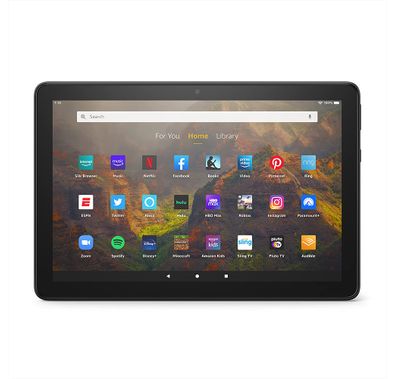
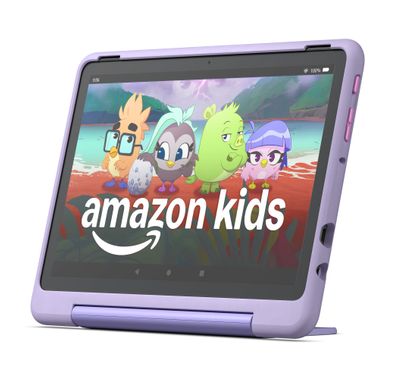
Amazon Fire 7 Kids Tablet FireTab7RD - Ages 3-7, Blue
Amazon Fire 7 Kids Tablet FireTab7PU - Ages 3-7, Red
Amazon Fire 7 Kids Tablet FireTab7BL - Ages 3-7, Purple
Amazon Fire HD 8 Kids Pro Tablet - 8" HD, 3GB RAM, 32GB - Jungle Cat
Amazon Fire HD 10 Kids Tablet FireTab10PU - Ages 3-7, Purple
Amazon Fire HD 10 Kids Tablet - 10.1" HD, 32GB, Blue
Apple iPad 11" A16 Chip - 128GB WiFi - Yellow
Apple iPad 11" A16 Chip - 128GB WiFi - Blue
Apple iPad 11" A16 Chip - 128GB WiFi - Silver
Apple iPad 11" A16 Chip - 256GB WiFi - Yellow
Apple iPad 11" A16 Chip - 128GB Cellular + WiFi - Blue
Apple iPad Air M4 11", 128GB, WiFi - Space Gray
Apple iPad Air M4 11", 128GB, WiFi - Purple
Apple iPad Air M4 11", 128GB, WiFi - Starlight
Apple iPad Air M3 11", 256GB, WiFi - Space Gray
Apple iPad Air M3 11", 256GB, WiFi - Starlight
Apple iPad Air M3 11", 256GB, WiFi - Blue
Apple iPad Air 11" (M2), 1TB, 5G Cellular + WiFi - Blue
Apple iPad Air M4 13", 128GB, WiFi - Space Grey
Apple iPad Air 11" (M2), 1TB, WiFi - Blue
Apple iPad Air 11" (M2), 512GB, 5G Cellular + WiFi - Blue
Apple iPad Air 11" (M2), 512GB, WiFi - Starlight
Apple iPad Air 11" (M2), 512GB, 5G Cellular + WiFi - Gray
Apple iPad Air 11" (M2), 512GB, 5G Cellular + WiFi - Starlight
Apple iPad Air 11" (M2), 1TB, 5G Cellular + WiFi - Purple
Apple iPad Air 11" (M2), 1TB, 5G Cellular + WiFi - Starlight
Apple iPad Air M4 13", 256GB, WiFi - Blue
Apple iPad Air 13" (M2), 1TB, 5G Cellular + WiFi - Blue
Apple iPad Air 13" (M2), 512GB, 5G Cellular + WiFi - Gray
FAQ
Which operating system is best for tablets: iOS, Android, or Windows?
The best operating system depends on your needs. iOS (on iPads) is known for its smooth performance, security, and wide range of high-quality apps, especially for creativity and productivity. Android tablets offer more customization, a variety of price points, and easier file management. Windows tablets are great if you need to run desktop software or want a device that feels like a laptop. Consider what apps you use most and whether you prefer a simple or customizable experience.How do I choose the right screen size and resolution for a tablet?
Screen size affects portability and usability. Smaller tablets (7-8 inches) are lightweight and easy to carry, ideal for reading or travel. Larger screens (10-13 inches) are better for watching videos, drawing, or multitasking. Resolution matters for clarity—higher resolution means sharper images and text. If you watch movies or do graphic work, go for Full HD or higher. Always check the screen quality in person if possible.What do processor and RAM mean for tablet performance?
The processor (CPU) and RAM determine how fast your tablet runs and how many apps it can handle at once. A powerful processor is important for gaming, video editing, or multitasking. More RAM (4GB or more) helps keep apps running smoothly without slowing down. For basic tasks like browsing or streaming, mid-range specs are enough. Always check these specs if you want a tablet that stays fast over time.How important is battery life when choosing a tablet?
Battery life is crucial, especially if you use your tablet on the go. Most good tablets offer 8-12 hours of use on a single charge, but this depends on screen brightness, apps, and usage. If you travel or work outside a lot, look for tablets with long battery life and fast charging. Reading reviews and checking real-world battery tests can help you choose. Remember, bigger screens and powerful processors usually use more battery.How much storage do I need on a tablet?
Storage needs depend on how you use your tablet. If you mainly stream content and use cloud storage, 32GB or 64GB may be enough. For downloading lots of apps, games, or storing photos and videos, consider 128GB or more. Some Android and Windows tablets let you add a microSD card for extra space, but iPads do not. Always check if the tablet supports expandable storage before buying.How do I compare tablet brands and their reputations?
Brand reputation matters for quality, updates, and customer support. Apple (iPad) is known for reliability and long software updates. Samsung and Lenovo offer a range of Android tablets with good build quality. Microsoft Surface tablets are popular for productivity. Read reviews, check warranty policies, and see how often brands update their devices. A reputable brand usually means better resale value and fewer problems.Are tablets compatible with accessories like keyboards and styluses?
Many tablets support accessories, but compatibility varies by model. iPads work best with Apple Pencil and Smart Keyboard, while Samsung tablets often support S Pen and their own keyboards. Some Windows tablets have detachable keyboards and support third-party styluses. Always check if the accessory is made for your tablet model. Buying official accessories ensures the best performance, but third-party options can be more affordable.How do I balance performance and battery life in a tablet?
High performance usually means faster processors and more RAM, but these can drain the battery faster. If you need a tablet for heavy tasks like gaming or video editing, prioritize performance but check battery reviews. For everyday use, mid-range tablets offer a good balance. Adjusting settings like screen brightness and closing unused apps can help extend battery life. Always read user reviews to see real-world performance and battery results.How do I know if a tablet is good value for money?
Value for money means getting the best features for the price. Compare specs like processor, RAM, storage, and screen quality with other tablets in the same price range. Check if the tablet gets regular software updates and has good build quality. Sometimes, older models offer great value if they still receive updates. Reading expert and user reviews helps you spot the best deals.Is portability and weight important when buying a tablet?
Portability and weight matter if you plan to carry your tablet often. Lighter tablets (under 500g) are easier to hold for long periods, great for reading or travel. Heavier tablets may offer bigger screens but can be tiring to use on the go. Consider how and where you'll use the tablet most. If you need it for work or school, a lightweight model is usually more convenient.
Expert Advice for Choosing the Right Tablet
Why Tablets Matter in Everyday Life
Tablets have become essential companions for both work and leisure, offering a unique blend of portability, performance, and versatility. The right tablet can streamline your workflow, keep you connected on the go, and provide endless entertainment options, all in a sleek, lightweight package. Whether you’re managing emails, sketching ideas, or unwinding with your favorite series, a well-chosen tablet can truly enhance your daily routine.
Exploring the Range: Types and Styles
The tablet market is rich with variety, from compact models perfect for travel to powerful devices designed for creative professionals. You’ll find options with detachable keyboards, stylus support, and different operating systems like iOS, Android, and Windows. Each style caters to specific needs, so it’s important to consider how you’ll use your tablet most often—be it for productivity, creativity, or entertainment.
The Challenge of Choosing
With so many models and features available, selecting the right tablet can feel overwhelming. Many buyers struggle to compare specifications, understand compatibility with accessories, or decide between brands like Apple, Samsung, and Microsoft. It’s common to feel uncertain about which features are truly necessary and which are simply nice to have.
Key Factors to Consider
When shopping for a tablet, focus on factors such as screen size, battery life, processing power, and storage capacity. Think about whether you need cellular connectivity, stylus support, or a detachable keyboard. Also, consider the operating system and how it integrates with your other devices. These elements will directly impact your experience and satisfaction with your purchase.
Quality and Price: What to Expect
Tablets come in a wide range of price points, and understanding what you get at each level is crucial. Entry-level models are great for basic tasks and casual use, while mid-range tablets offer better performance and features for multitasking. Premium tablets deliver top-tier displays, advanced processors, and robust accessory ecosystems, making them ideal for professionals and power users. It’s important to balance your budget with your actual needs.
Comprehensive Buying Guide
To help you navigate these choices, we’ve created a detailed buying guide: "Choosing a Tablet for Work and Play: What Actually Matters." This guide breaks down the most important features, compares leading brands, and offers practical tips for every type of user. You’ll find it on our blog, where we dive deeper into what makes a tablet truly fit your lifestyle.
Why Shop Tablets at Naml
At Naml, we curate our tablet selection with care, focusing on trusted brands and the latest models. Our team evaluates each product for quality, reliability, and value, ensuring you have access to devices that meet a variety of needs and budgets. Plus, our fast delivery and attentive customer service make shopping with us seamless and worry-free.
Tips for First-Time Buyers
- Think about your primary use—work, study, or entertainment.
- Check compatibility with accessories you may already own.
- Don’t overlook battery life and warranty options.
- Read user reviews to get real-world insights.
Shop with Confidence
Choosing the right tablet doesn’t have to be daunting. With expert guidance, a curated selection, and practical advice, you can shop with confidence and find a device that truly fits your needs. Explore our collection today and discover how the right tablet can make everyday life easier.